Product Documentation

Every major iOS screen,
with feature breakdowns

This page documents the live health.md iOS interface so users can quickly discover what already exists. Screenshots were captured directly in the iOS Simulator (iPhone 16 Pro) and map to current in-app views.

Updated: February 18, 2026 • App version shown: v1.2 UI

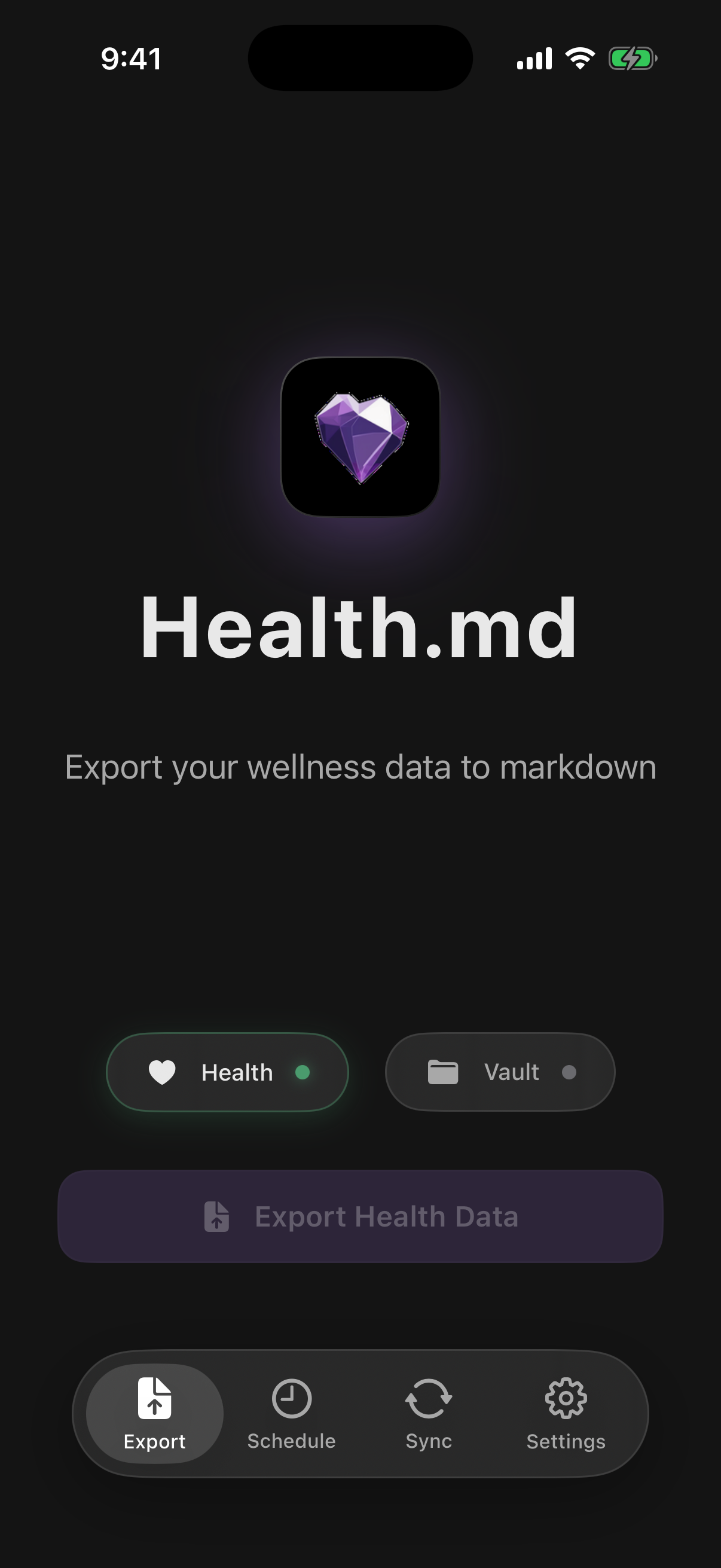
Export tab overview

Primary View

Export tab

The default landing screen for manual exports and connection checks.

  • Health status shows whether HealthKit permissions are connected.
  • Vault status shows whether an export folder has been selected.
  • Export Health Data activates once both Health + Vault are connected.
  • Bottom nav gives one-tap access to Schedule, Sync, and Settings.
Schedule tab overview

Automation

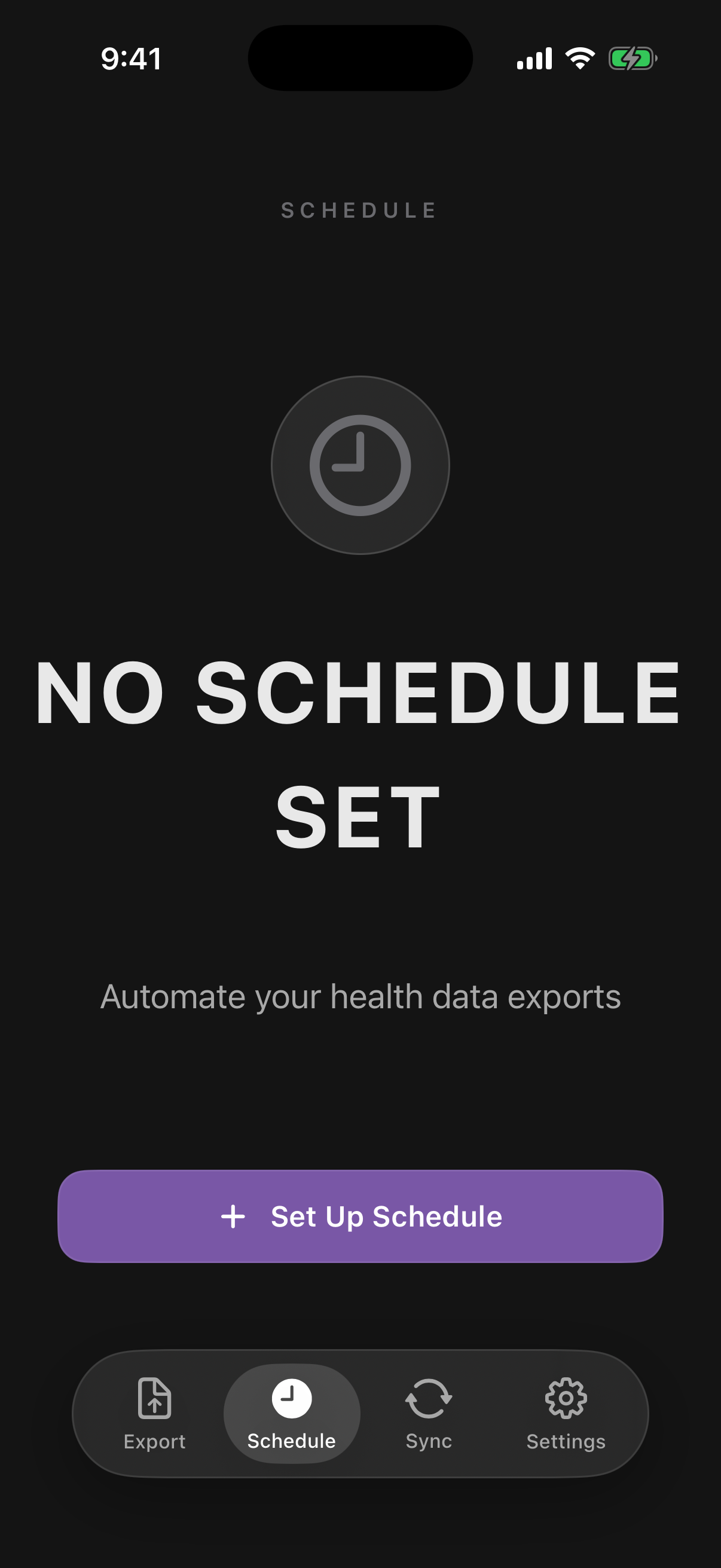
Schedule tab

A high-level status screen for automation.

  • Large state indicator clearly shows whether scheduling is active.
  • Set Up Schedule / Manage Schedule opens detailed scheduling controls.
  • Designed for quick confidence checks without digging into settings menus.
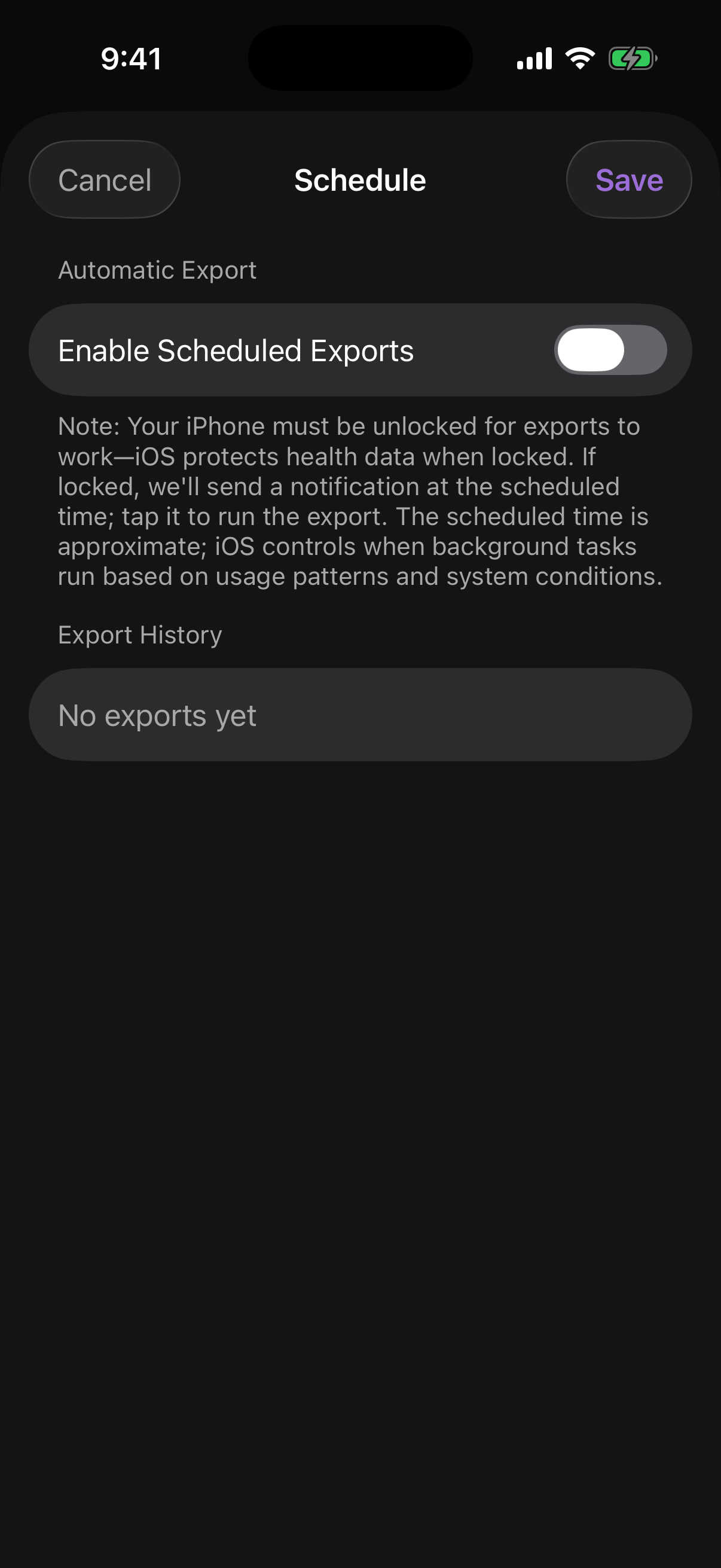
Schedule settings detail

Automation Detail

Schedule settings

Detailed controls for background export behavior.

  • Enable Scheduled Exports master toggle for automation.
  • In-app guidance explains iOS lock-state limits and background timing behavior.
  • Export History lists previous outcomes and failures for troubleshooting.
Mac Sync screen

Companion Sync

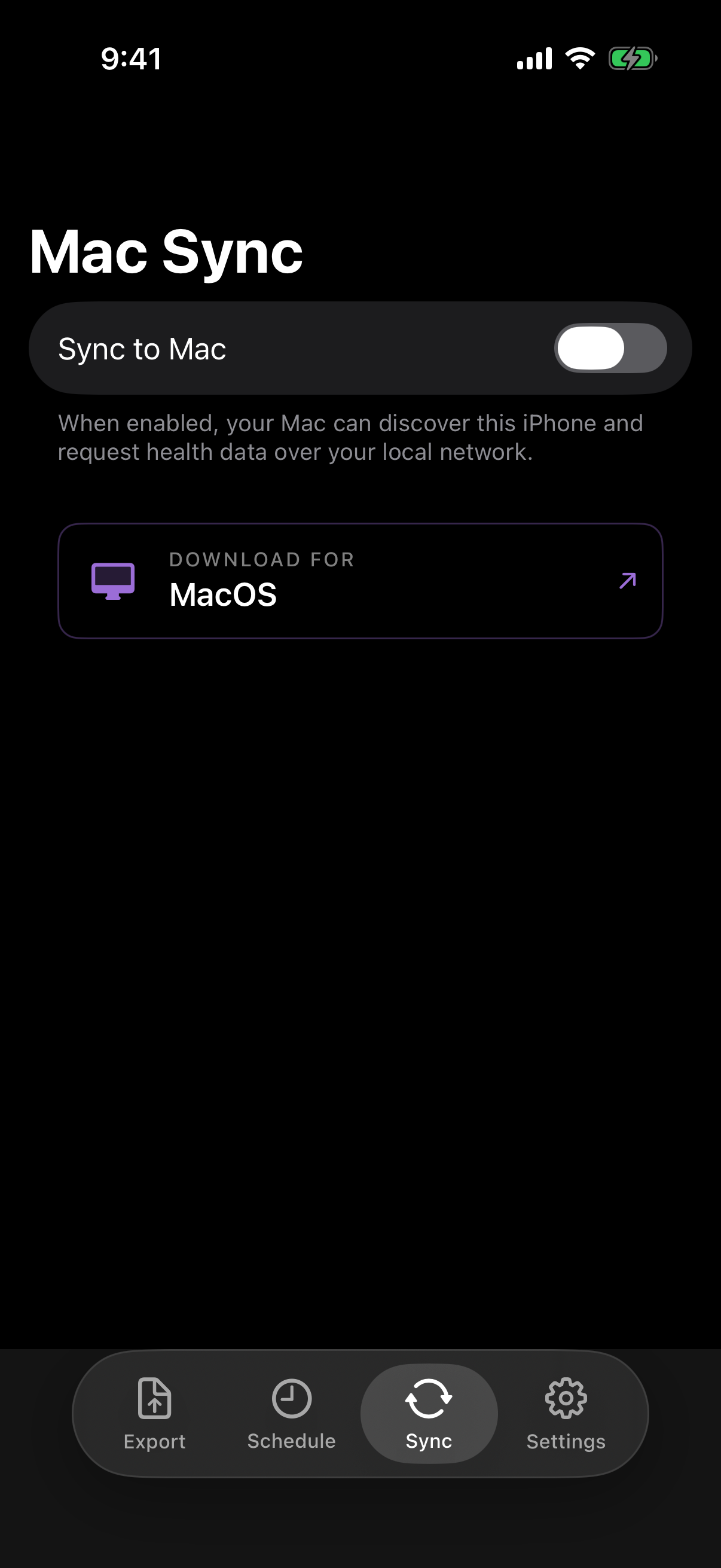
Mac Sync

Controls iPhone → Mac local transfer for the macOS companion app.

  • Sync to Mac enables local discovery and data requests from your Mac.
  • Shows guidance for local-network syncing and companion app onboarding.
  • Includes direct macOS download CTA when sync is disabled.
Settings overview

Configuration Hub

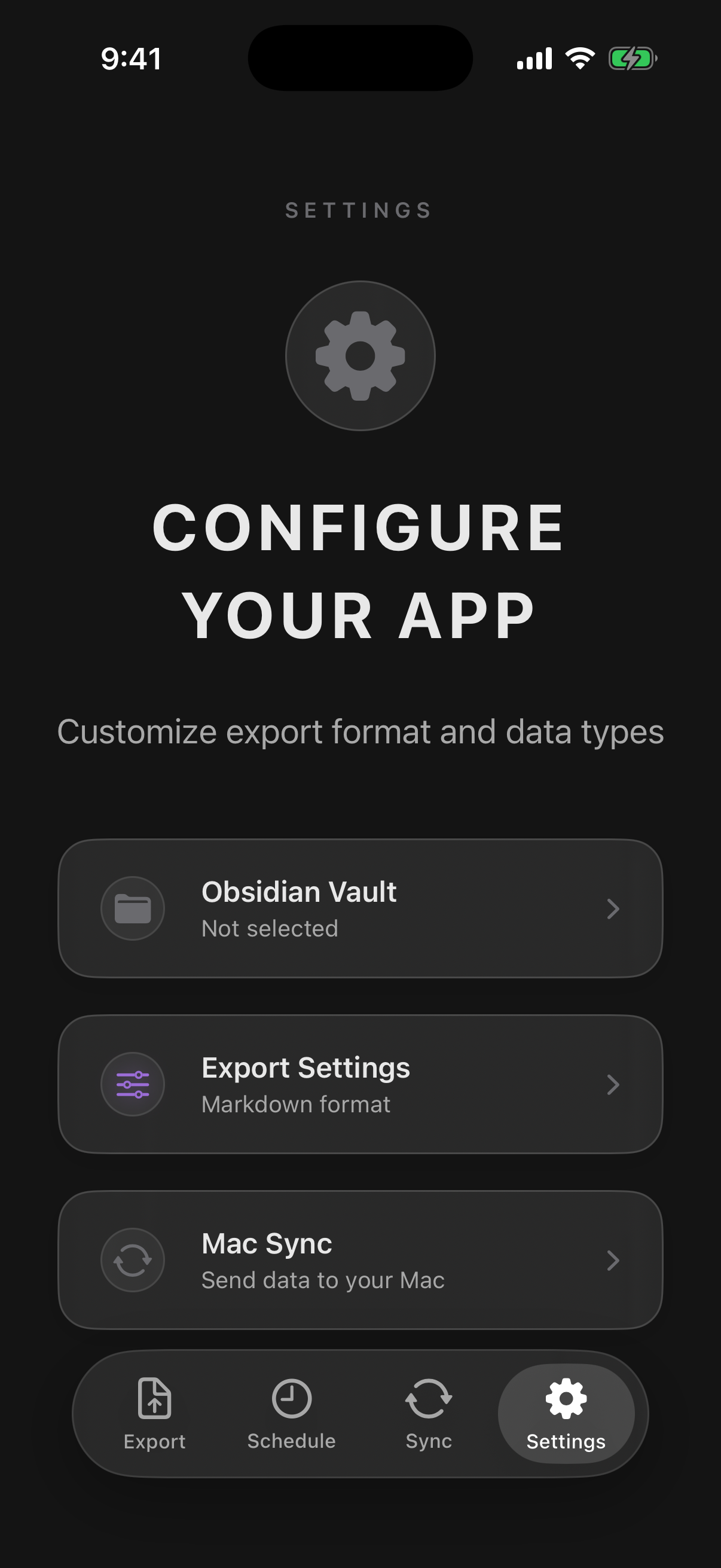
Settings overview

Main gateway for export customization and support actions.

  • Obsidian Vault picker for export destination.
  • Export Settings opens advanced formatting + data controls.
  • Mac Sync shortcut to desktop-sync configuration.
Settings support actions

Support + Distribution

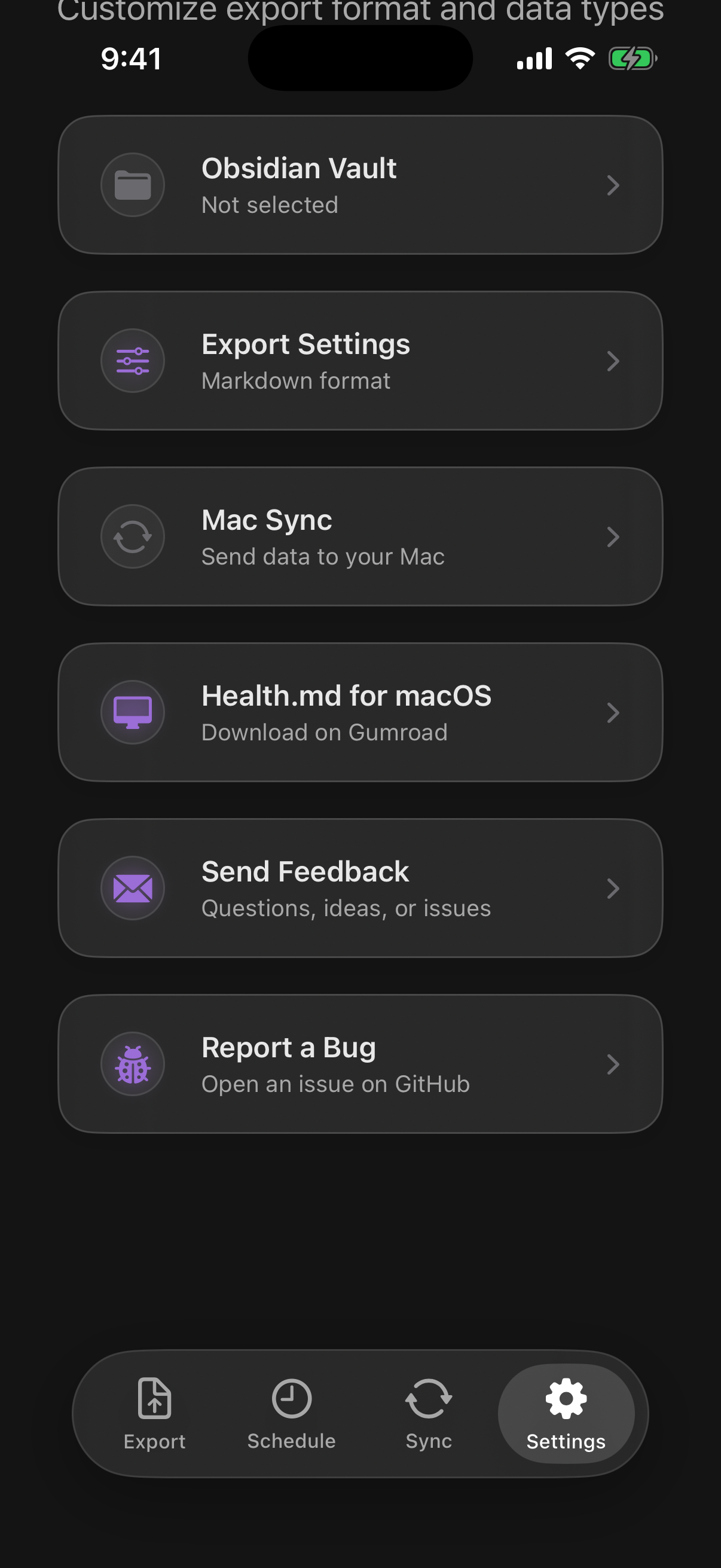
Additional settings actions

Secondary actions users often miss if they don’t scroll.

  • Quick link to health.md for macOS.
  • Send Feedback for feature requests and questions.
  • Report a Bug opens GitHub issue flow.
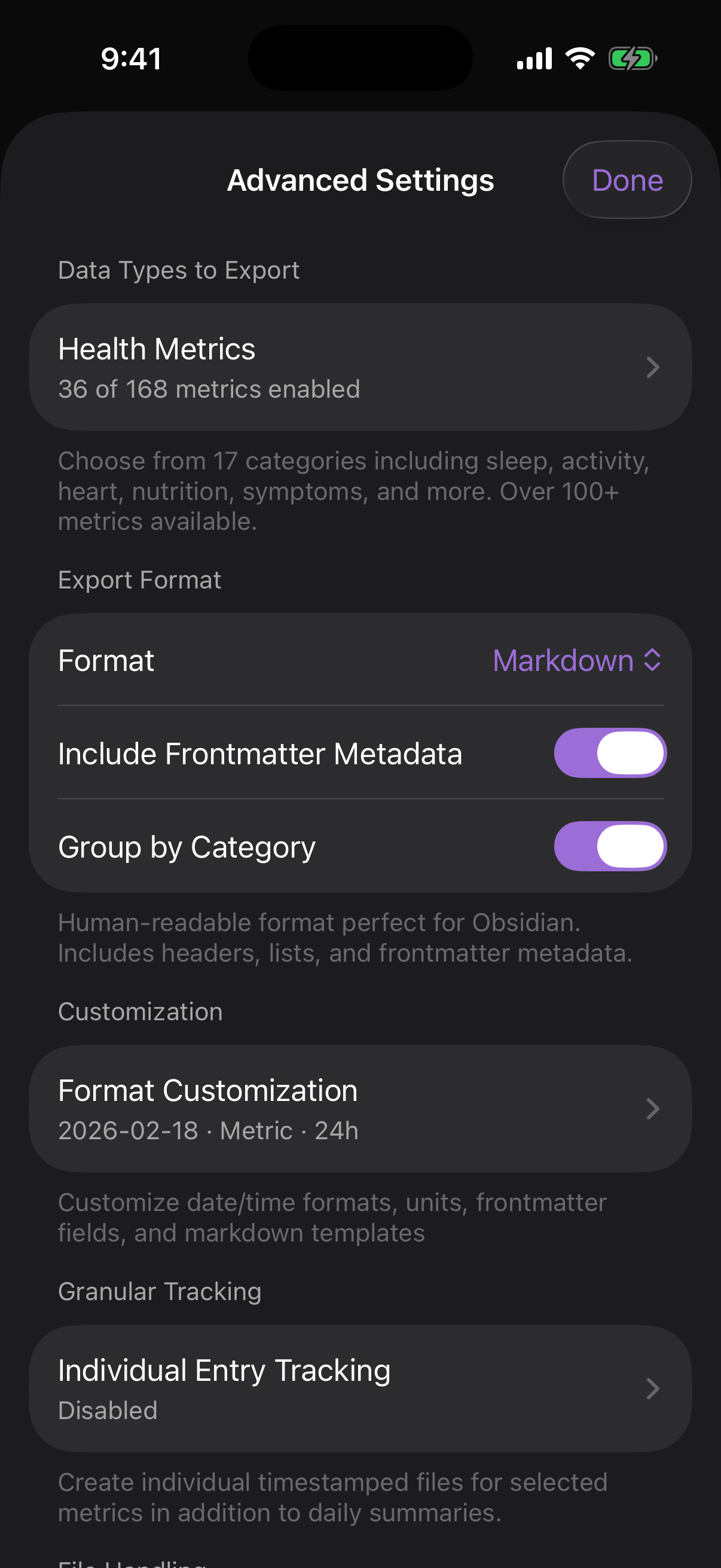
Advanced export settings

Power Features

Advanced export settings

Where users control what gets exported and how it is written.

  • Health Metrics opens full category + metric selector.
  • Format supports Markdown, Obsidian Bases, JSON, and CSV.
  • Toggles for frontmatter + category grouping.
  • Links into format customization and granular individual entry tracking.
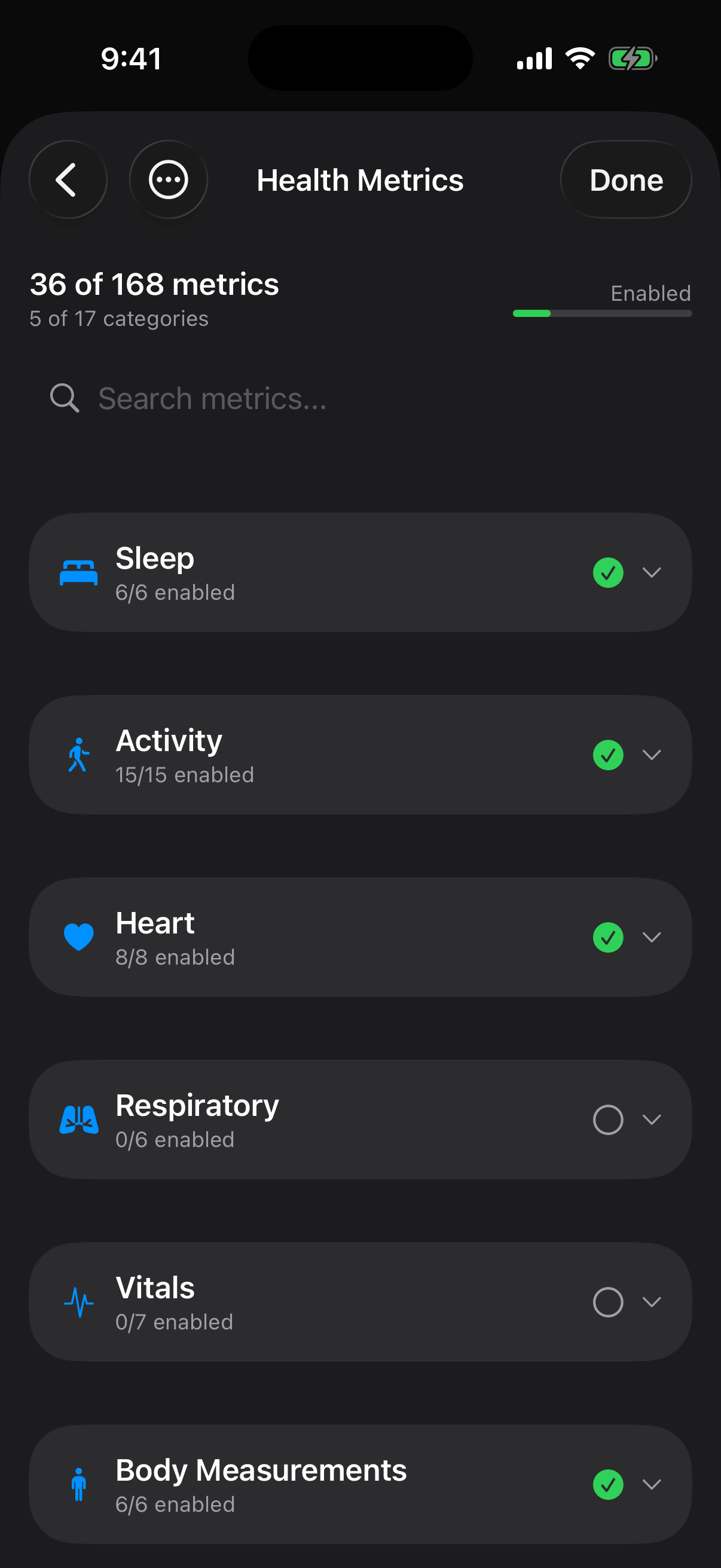
Health metrics picker

Data Scope Control

Health Metrics selector

Fine-grained data selection UI with category-level and metric-level control.

  • Live count of enabled metrics and categories.
  • Search field to quickly locate specific metrics.
  • Per-category enable/disable with support for partial selections.
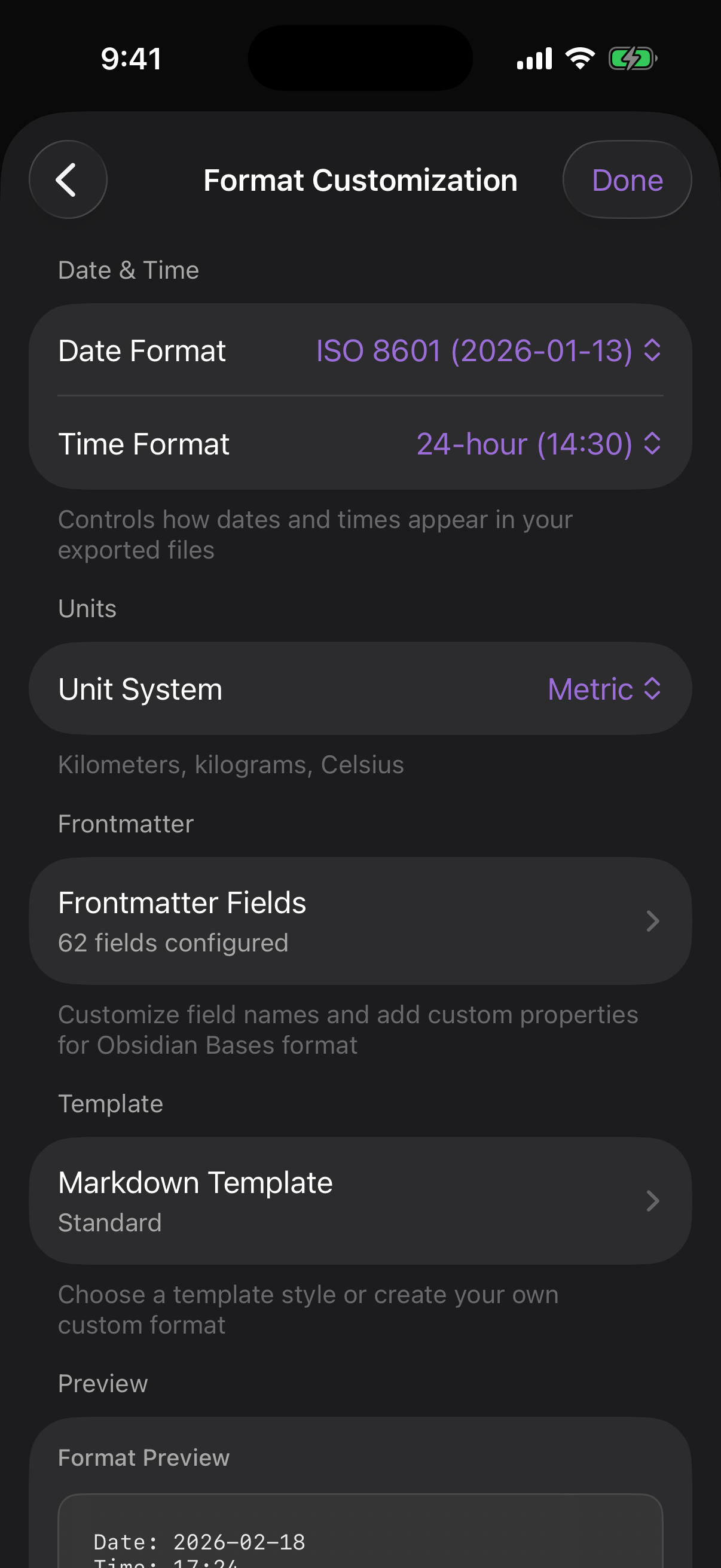
Format customization view

Output Formatting

Format customization

Controls output formatting without changing data collection.

  • Date & Time format options for export readability.
  • Unit System toggle between metric and imperial outputs.
  • Frontmatter Fields editor for Obsidian/Bases metadata schemas.
  • Markdown Template style selection plus preview block.